NoQ

AI-powered flashcards.
NoQ
AI-powered flashcards.
- Your photos become quiz sets
- A question order built for memorizing
- Alarms that help you keep going
About NoQ
Remember more with less effort
NoQ is a study app that turns your notes into quiz sets and takes care of your daily review.
Based on your answers, it brings questions back just as you're about to forget them, so the same study time sticks better.
All you do is answer 5 questions a day.
Consistency
If you can't keep studying,
- 🤔
Days go by without opening it
🔔Daily review reminders at a set time
A notification arrives, giving you a reason to open the app every day.
- 🤔
Not sure what to review first
👉“Review now” shows today's quiz sets
The app picks the quiz sets to review, so you can start the moment you open it.
- 🤔
Working hard, but no progress in sight
📈Watch your mastery go up
The share you've learned grows for each quiz set, so your effort shows.
- 🤔
Studying feels like a chore
🎉Completion effects and card designs to choose from
A little satisfying every time you finish. Style your cards the way you like.
Effortless
Quiz sets?
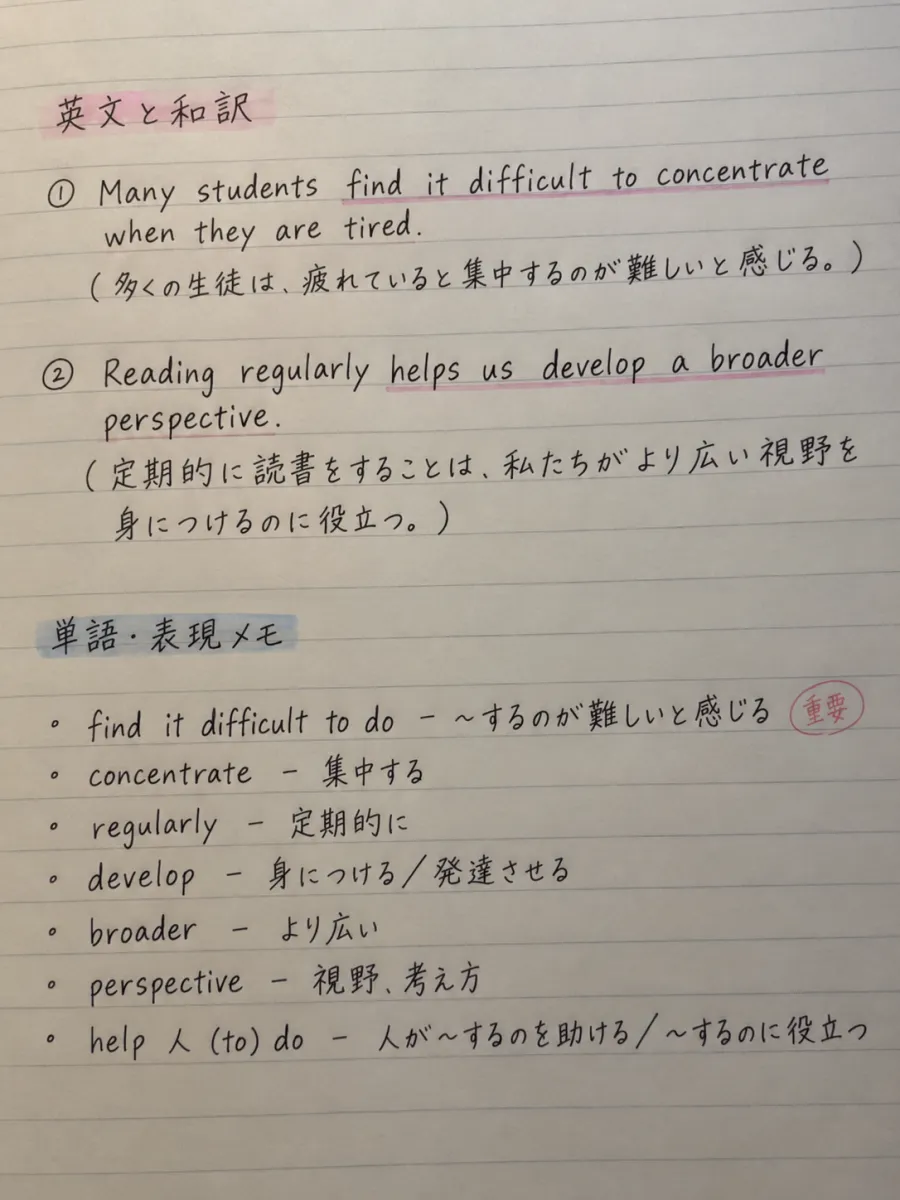
- Q1
What does “concentrate” mean?
To focus
- Q2
What does “find it difficult to do” mean?
To feel that something is hard to do
- Q3
What does “regularly” mean?
On a regular basis
- Q4
What does “develop” mean?
To build up / to grow
- Q5
What does “perspective” mean?
A point of view, a way of thinking
Simplicity
This is all
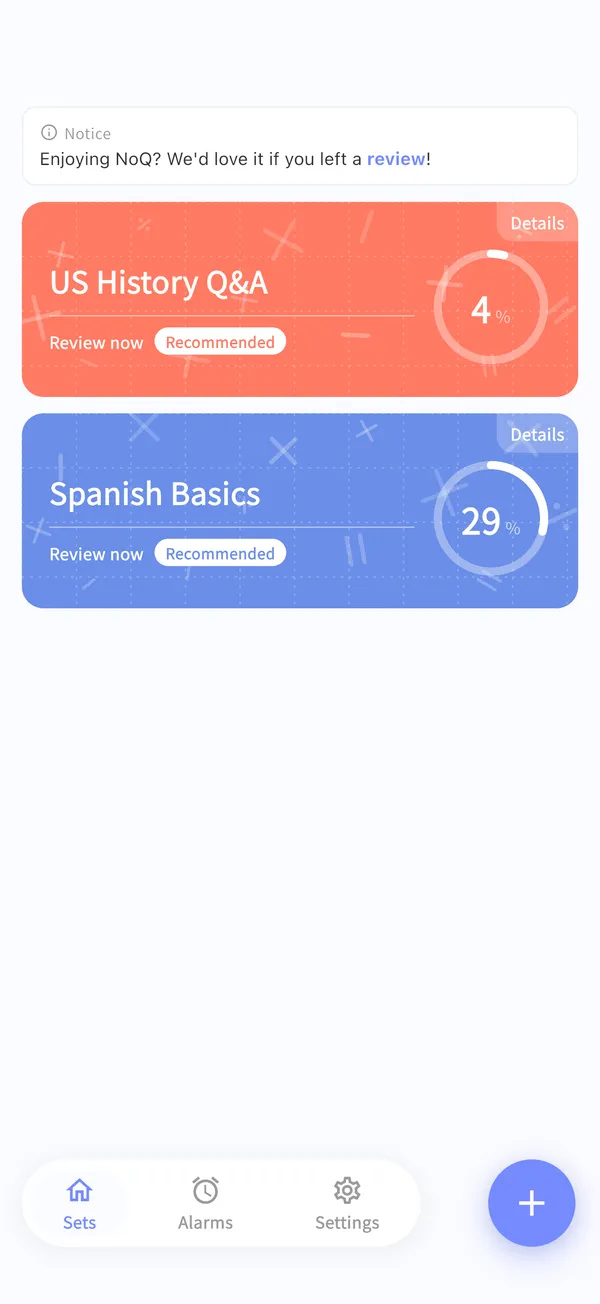
STEP 1
Open
“Review now” shows which quiz sets to review today
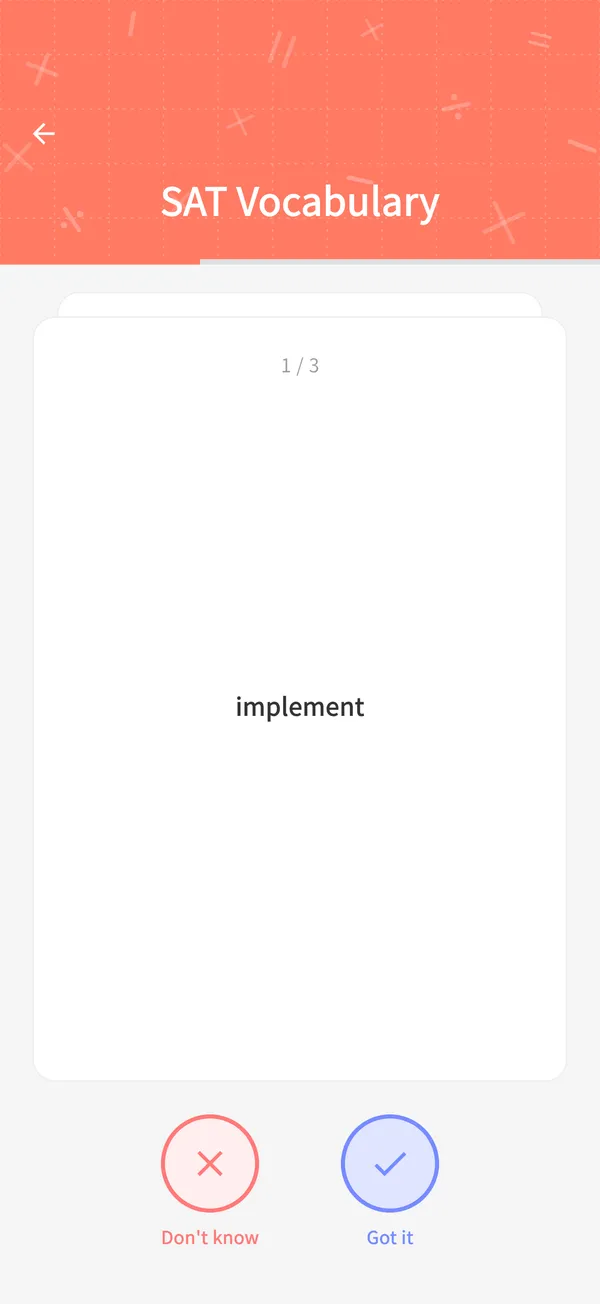
STEP 2
Answer 5 questions
Just choose “Got it” or “Don't know”
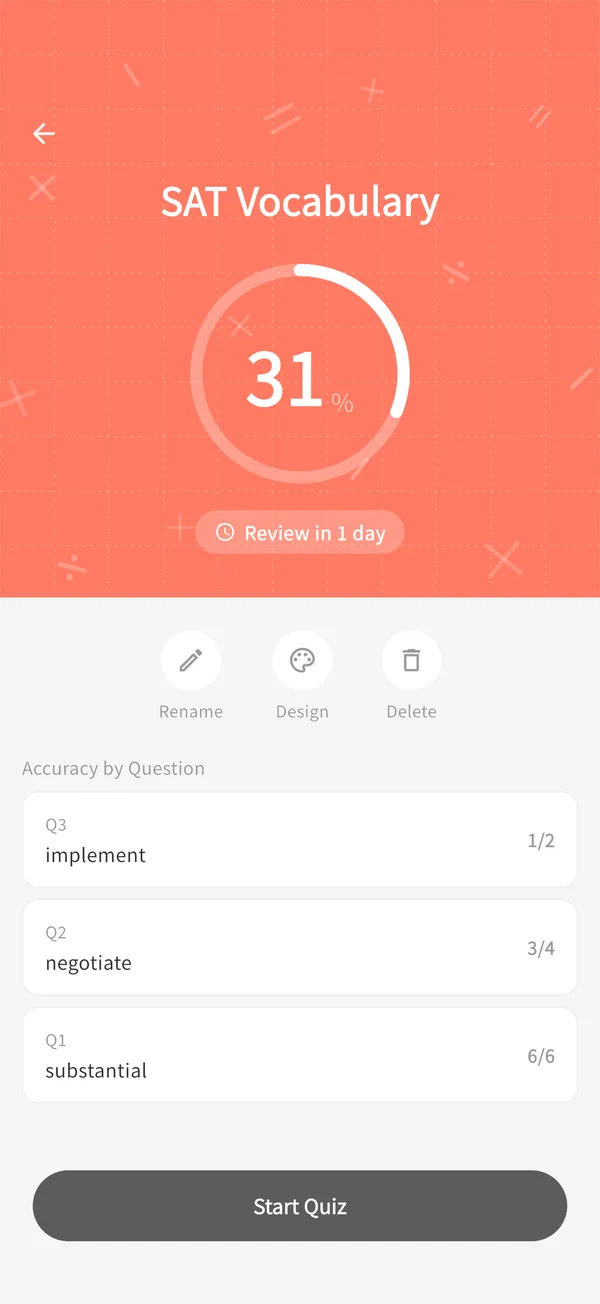
STEP 3
Done
Finished in minutes. The app schedules your next review
Efficiency
Back again
* An example of answering “Got it” every time.
The app picks the questions you're about to forget.
Based on spaced repetition (SM-2), questions you know well come back less often, and ones you're starting to forget come back sooner.
Kept simple on purpose
- Two answers: “Got it” or “Don't know”
- The app picks 5 questions to review at a time
- Questions you didn't know come back the next day
Frequently asked questions
How much time does it take each day?+
Each session is just 5 questions, so it only takes a few minutes.
Can it read handwritten notes?+
Yes. You can check and edit the generated questions before saving them.
What subjects can I use it for?+
Any subject where you need to memorize things: vocabulary, history, science, certification exams, and more.
What can I do for free?+
You can create up to 5 quiz sets and upload up to 10 images a day for free.
How do I cancel my subscription?+
You can cancel from subscription management in the App Store or Google Play.
Start today. Just 5 questions.
Free to start. No account needed — use it right away.